Digital
Website
How the brand works on simplepark.nl.
Layout
Every page is built from the same parts, taken from the homepage design. The examples on this page work like the real thing: the panel's tabs switch, the calculator calculates and the questions open. They are in English, like the rest of this site; the website itself is in Dutch.
| Part | Value |
|---|---|
| Page width | At most 1200px, with 16px on each side on a phone and 32px from 720px |
| Section spacing | 40px on a phone, up to 64px on a wide screen |
| Between sections | A dashed line, 1px |
| Text | Figtree in bodyXl (18 / 28), navy softened (#4A536A); headings full navy |
| Section head to content | 40px |
| Gap between cards | 16px |
| Rows of cards | Three across, two from 960px, one from 640px |
A page reads top to bottom as: header, hero with the product panel, proof, then sections with a head and cards, and it always ends with the closing call to action and the footer.
Headings
The page title is set in two tones: the first part in navy softened to 55%, the second part in full navy on its own line. Section heads have an eyebrow, a heading with a few gradient words and a short lead. The home page title is displayXl, a sub page's title displayMd; on smaller screens they step down the scale (see typography).
Page title
Your next parking action takes 10 seconds.
Section head, blue words
Parking
Start in 10 seconds, stop whenever you want and pay per minute.
No permit behind the windscreen, no receipts, no hunt for a parking meter. Only what you need on the way.
Section head, orange words
Prices
You pay what the city asks, plus 29 cents.
No subscription and no hidden costs.
- Gradient words are the part you'd remember, at most five of them, once per heading. Blue for the product, orange for money and people. On the business pages they run from navy to blue instead (see below).
- The eyebrow is one word or two, the name of the section.
- The lead is one or two sentences, at most 56 characters a line, in
bodyXland the running text color, never grey. - A lead never repeats the numbers that the cards under it already show.
Business pages
The business section (everything under /bedrijven) is the serious part of the site, and it should look it the moment you land. It keeps every part of the layout, but it has no orange: the meshes are navy (the deep mesh without its orange corner), the gradient words run from navy to blue, and the avatars and other product details go from periwinkle to navy. The audience bar in the header already says where you are; the color says it too.
- No orange on a business page, not as a mesh, a gradient word or a figure. A warning in the product (a budget nearly spent) keeps its warning color.
- Blue still means the product. The solid blue button and the blue gradient words stay.
- No shadows. Cards and product parts sit flat: on a mesh they are plain white, on white or gray they get a hairline. A form is a light gray card (grey 50, #fafafa) with a hairline and white fields, not a card on a mesh.
- Cards in a row stay gray. The steps under How it works are plain cards with a hairline, none on a mesh.
Links that go somewhere
A link that takes you to another page has its label and a chevron after it. On hover the label turns blue and stays where it is; the chevron grows a stem into an arrow and moves a few pixels to the right. The text never moves, only the arrow does, the same in a row of articles as in a single link.
Header
The header sticks to the top, white at 88% with a blur, so the page shows through when you scroll. The logo sits on the left, the menu in the middle and two buttons on the right. On a phone the menu folds into a sheet that slides down under the bar; the download button stays visible.
- Menu items are 40px tall, 16px on each side, with 10px corners. The label is
labelMd. - Hovering an item turns its text blue, nothing more: no surface behind it.
- The page you are on keeps a light surface behind it (grey 50,
#FAFAFA) and blue text, so you always see where you are. A page under it, like a post under the blog, marks the same item.
Hero and product panel
The hero is centered: the two-tone title, one sentence, a field for your license plate and the store buttons. Under it sits the product panel, a cool mesh with the product on top. The tabs walk through one parking action: they move on by themselves every six seconds, with a line that fills under the active tab. Hovering pauses them and clicking a tab stops them, because then you're reading. Frosted glass cards float slowly on the sides with the details. On smaller screens the glass cards go and the panel stays.
Parking, but simple.
Start and stop on-street parking in a few taps, all over the Netherlands. You pay per minute, without a subscription.
SimplePark just now
You're in zone 12100, Keizersgracht. This is your parking action:
- The panel shows the product, not a picture of it. Real parts with real-looking data: a Dutch zone code, a plausible rate.
- The table card is the core: what you see before you start, with a status tag in every row.
- One solid blue button in the panel, on the action that matters.
The frame around a wide panel
A panel on the wide lane (the product panel, a mesh section, the worked example, the closing call to action) sits in a frame. It is the brand's line between sections, drawn around the one thing a section is about.
- Rails: the panel's two sides run on as dashed lines, 240px above and below it, and fade out.
- Rules: a dashed line along the panel's top and bottom edge, across the whole screen.
- Hatching: the strips beside the panel, between the rules, carry a fine diagonal hatching at 135°, one line every 10px.
- Square corners: a framed panel has no radius, so the rails and the rules meet in its corners.
| Part | Value |
|---|---|
| Rules and rails | Dashes of 5px with 5px gaps, rgba(14, 16, 20, 0.24) |
| Hatching | 1px lines, rgba(14, 16, 20, 0.043); you only notice it when you look for it |
| Rail run | 240px past the panel, fading out |
Proof
A band under the hero with one big number, a grid of cities and four stats. Each city name is set in a different style, like the signs in that city, so the grid reads as many places and not as one list. The names on the tiles are in titleSm: a name on a tile is a label, not a heading. A slow line of more cities runs underneath.
170+
cities where you park with SimplePark.
See all cities →
Feature cards
Cards in a row of three. Mesh cards with grain and white text alternate with plain cards on the surface color; a row has at most two mesh cards. The visual sits on top, the text below it.
24/7 on WhatsApp
Real people, also at half past seven in the morning.
Live Activity and Dynamic Island
Your parking action on your lock screen. One tap on Stop or Extend.
A nudge in time
A notification 15 minutes before your end time, and a reminder every hour.
Always the right zone
Open the app and your zone is already on the map, with the rate and the maximum time.
Stops on time
Also when your phone is off. Never pay a minute too much.
Unlimited licence plates
Your own car, a lease car or today's shared car. Switch with one tap.
One invoice a month
All your parking actions on one invoice. Forward it to your accountant or employer.
Always there
99.9% uptime and an average of 4.6 in the app stores.
Made in the Netherlands
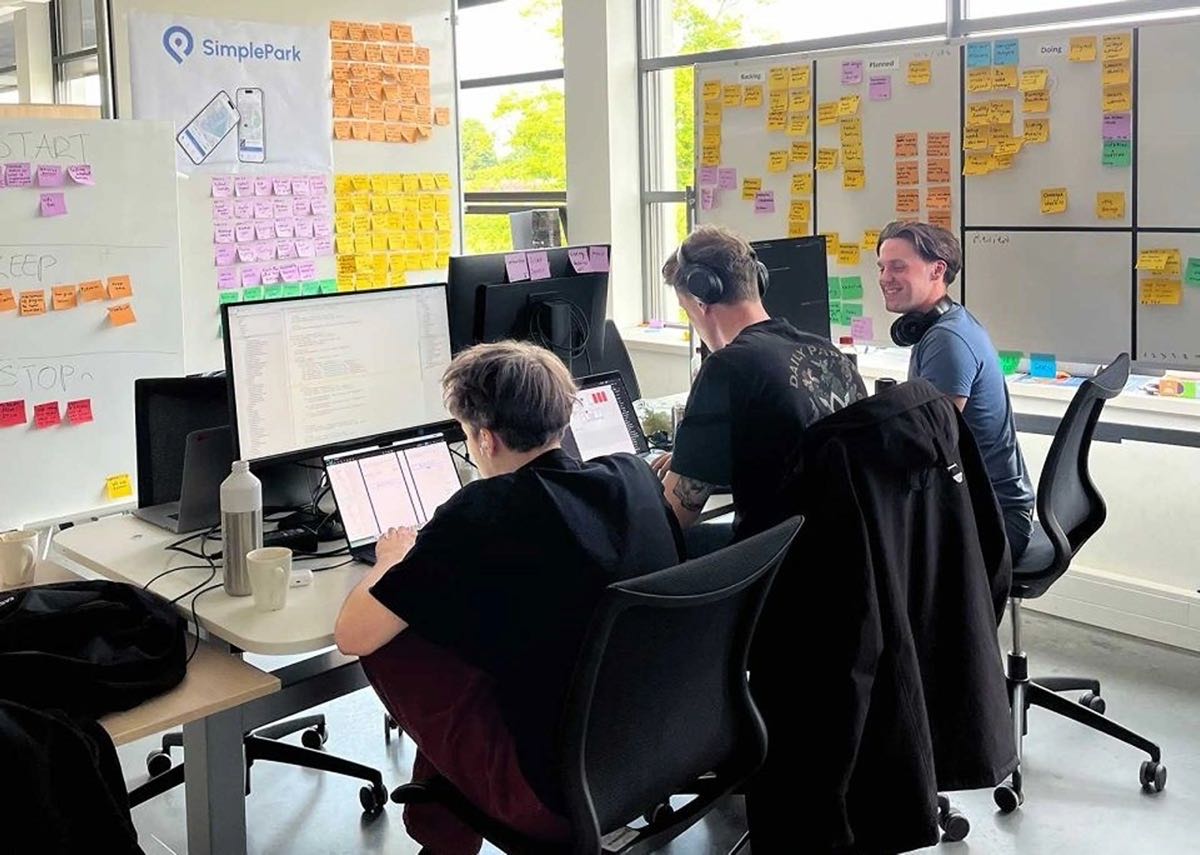
A small team that parks on the same streets every day.
- Mini cards on a mesh are white with a soft shadow and no border, so they float. On a plain card they get a hairline instead.
- The lock screen uses its own gradient, from blue to a dusky purple with orange in the corner, so it reads as a phone and not as a brand surface.
- Chat bubbles are white; the customer's own messages are white at 85%, on the right.
- A photo fills the visual area with an 8px inset, so the card's corner stays visible.
Wide cards
For a point that needs more than a card: the text on the left, product parts on the right. Plain facts go in rows with a tag; business gets its dashboard.
Private, and without a permit behind the windscreen.
We only use your location to find your zone, and we never share it. Enforcement checks your licence plate digitally.
No more expense claims.
- No loose receipts or costs paid up front
- Always see who parks where
- First 3 months free
Photos
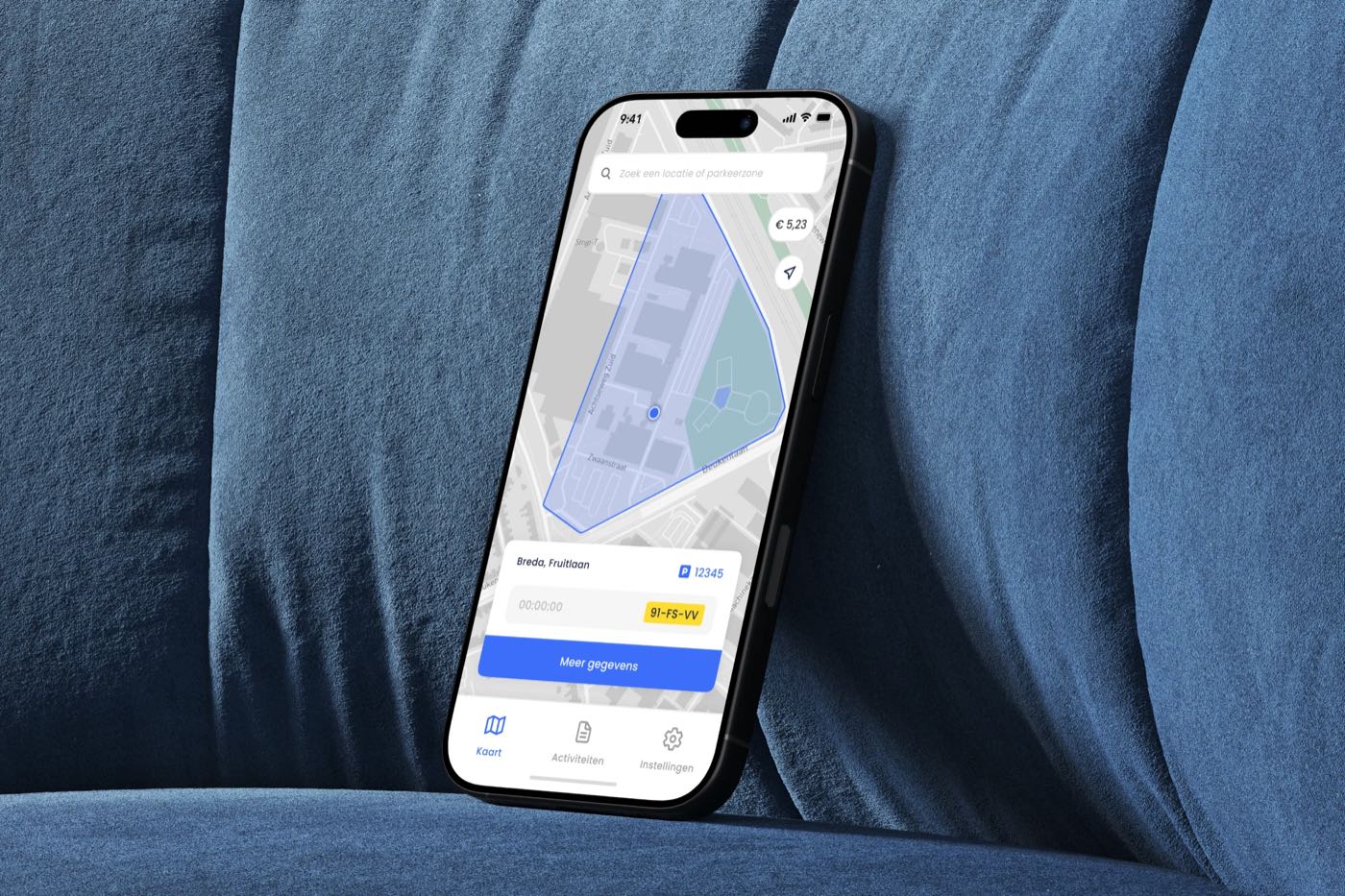
A photo of the app in use, with at most two product parts floating on top. The overlays repeat what the photo shows, so the photo stays the story. The caption starts with a bold sentence about where you are. See imagery for what we photograph.
Blog covers
Every blog post gets a cover in the same composition: the cool mesh, the logo at the top right, one line of type on the left and a phone that runs off the bottom edge. The phone shows the one screen the post is about. See graphic elements for the parts.

Your parking action always in view
How your balance works
Balance
- One line of type, at most eight words, centered in the left half.
- The phone tilts 8° and is cut off by the bottom edge, so it feels like it's in your hand.
- The deep mesh for posts about business and money.
Quotes and reviews
One big quote with its author, and a row of reviews under it. The gradient words in the quote are the part we'd underline.
“I park in the city almost every day. With SimplePark I start in ten seconds and I never forget to stop.”
Example quote
The zone was already there. Ten seconds and I walked on.
Mark, RotterdamForgetting to stop isn't possible anymore, it just stops at the end time.
Fatima, Den HaagThe city's rate plus 29 cents. No subscription, no hassle.
Joost, GroningenExample reviews
- Quotes and reviews are real. A customer who agreed to be quoted, or a review copied word for word from the App Store or Google Play, with its source. The examples here are marked as examples; the live site never shows that label.
Prices
The rates page opens like a price list, not a poster. Under the title, with as much space below it as above, everything up to the worked example sits on one light gray panel on the wide lane, framed like the worked example: square, with its rails and hatching. White cards sit on it, two side by side: what you get with a check list and the store buttons, and the service fee as one big number with the € 0.29 per top-up named right under it, so nobody has to look for the second € 0.29. Every fee follows on two cards side by side, one per kind of fee: its title and when you pay it, as in the cards above, then plain rows of a label and an amount. No gradient words, no eyebrow labels over a card, no cards inside cards, no footnotes: a note sits under its label. Under them, the worked example lets people try it.
Parking rate
100%to the city
We don't earn on the parking rate.
Service fee
€ 0.29per action
Free parking? Then no service fee.
Top-up fee
€ 0.29per payment
When you top up with iDEAL, Wero or SEPA.
Subscription
€ 0a month
Not needed. Never was.
- The banner is a mesh with grain, the text on the left and a light glass panel on the right: the deep mesh on the home page, the cool mesh on the rates page. Use it once per page, for the one thing we want people to try.
- The split bar shows who gets what: the municipality in blue, SimplePark in orange. When parking is free, the bar is empty, not two slivers.
- The total is the total per parking action, and the note under it says the € 0.29 per top-up is not in it. A worked example never suggests it is the whole price.
- Every page that names one of our fees names both: € 0.29 per parking action and € 0.29 per top-up. Never "only € 0.29", never "no hidden costs".
Questions
The section head on the left and the questions on the right. The first question is open. Answers are short and start with the answer: No., No problem.
FAQ
Questions? We have answers.
Not in the list? Send us a WhatsApp, day and night.
What if my phone is dead?
No problem. Set an end time and your parking action stops at that time, also when your phone is off.
Do I need a subscription?
No. You pay the city's parking rate plus a € 0.29 service fee per parking action. Topping up your balance costs € 0.29 per payment. Free parking means no service fee.
Where does my parking money go?
The parking rate goes to the city in full. We only charge the fixed € 0.29 per parking action.
In which cities does SimplePark work?
In more than 170 cities in the Netherlands. Open the app and you see right away whether your zone is supported.
Closing call to action
Every page ends with the same call to action: the cool mesh, the two-tone title, the store buttons and a phone peeking up from the bottom edge. The fine print names the price.
Your next parking action takes 10 seconds.
Download SimplePark, add your licence plate and top up your balance. At the next kerb you're done.
No subscription. € 0.29 per parking action, € 0.29 per top-up.
Reading pages
A page that tells a story, like the about page, is a reading page: one story in one column, the way stripe.com/about tells theirs. No photo, no cards, no mesh between the paragraphs.
- One column of 640px, centred, in
bodyXl: about 65 characters a line. - The pin as a drawing on top: the one place the pin may appear on its side (see logo misuse).
- The title is for search engines and screen readers, hidden on the page; the drawing and the first sentence open the story.
- It ends with a few rows of a question on the left and where to go next on the right, with hairlines between them, and then the closing call to action.
Support pages
The knowledge base (support) has the layout of this brand site: documentation you look things up in, not a page you scroll through.
- The sections are tabs in
labelMd, the size of the header menu (a second row of navigation is never bigger than the first), in a bar under the site header, on the content width. The current one is underlined in blue, like the audience bar. The search sits on the right of the bar. The support home has no bar: its sections are its cards and its search is in the panel. - No sidebar. Every support page reads the same: the text on the left edge of the content width, in line with the logo and the tabs, and "on this page" on the right. The tabs, the section pages and the previous and next links lead on.
- The support home opens with a mesh panel in the frame, like the home: the title and the search in white (its results open over the page, the panel never grows), and four tiles for what people come with most. The tiles are dark glass: a navy tint over the mesh (
rgba(13, 19, 48, 0.34), 14px blur) with a white hairline at 16%, white text, and the icon on a lighter pane of the same glass. Under the panel each section shows its subsections as cards, the way Linear's docs do: a grey 50 top with the line icon in its own white tile, a hairline, and the name on white underneath inbodyLg(the text face: a card is a way in, the name only labels it). No description on the card. Under the mouse the cards light up like the city tiles on the home page: a soft glow in blue and warm orange follows the pointer over all the cards, lies over the grey tops and lights the rims of the cards near it, brightest on the one under it. Touch screens get no light. - The page is a reading column of at most 720px: where it sits as an eyebrow (a link back up), the title in
displaySm, the lead inbodyXland the text color. - On this page, on the right on wide screens, lists the headings of an article, with a hairline on the left that turns blue at the one you are reading.
- Lists of articles are rows, a title and its line with hairlines between and a chevron on the right. No cards, no counts in bubbles.
- Steps are numbered in a thin ring with a hairline between them. Notes are callouts in a status tint: info blue, tip success, warning amber, with the label in the status's text step.
- The byline has who wrote it on one line and when it last changed on the next, in
bodyLgand grey. - Every article ends with the way to a person (WhatsApp and email, as links that go somewhere) and the previous and next article of its section, in two outlined boxes.
- On a phone the tabs scroll sideways, the search moves to the top of the page, and "on this page" goes.
Locations page
The locations page opens with a mesh panel in the frame, like the home and the support home: the title, one sentence, the search and three numbers in white on the left (the municipalities, the parking zones, pay per minute), and a map of the country on the right.
- The map is drawn from the data, not from an outline: every municipality is a white dot at the centre of its zones, larger the more zones it has, so the dots draw the Netherlands on their own. The six largest cities carry their name in
labelMd. Hovering a dot lights it and shows its name. - The search lights the map. As you type, the dots it finds glow and the rest dim; only the first match carries its name, so neighbours never write over each other. The matches open in a list over the page with the lowest hourly rate, and enter opens the first.
- Under the panel every municipality, A to Z, in four columns. A name is in
bodyLg, the lowest hourly rate on the street (“from € 1.29”) on the right in grey 500, only where the city's page knows it. Each letter has a hairline under it. No cards and no letter bar: 123 names read best as a plain list, and the search is the way to jump. - On a tablet the map moves under the text; on a phone it goes, because the dots are too close to read as places.
City pages
A city page puts the price first. The title in displaySm and a lead of two sentences (the price, and where it is cheap or dear) sit on the left of the content width, with two large buttons under them: “Download de app” solid and the municipality's rates outlined. On the right a card holds the rates of the city.
- The rates card has the whole range on a grey 50 top in
headlineMd(“€ 1.29 – € 8.05”, per hour on the street), with the cheapest area in a green tag when there is more than one. Under it one row per tariff area: the name intitleMd, its price on the right, and a bar from its lowest to its highest hourly rate in the blue-to-warm gradient. Every bar sits on one scale, so the dear and the cheap areas read at a glance; an area with one price gets a short stroke centred on it, never a dot. The paid hours, the maximum and the zone code follow in grey. The source, its date and the service fee close the card. - The zone map is a panel on the wide lane, in the frame: every paid zone from the export in blue on the streets of the map, so you see where the meter applies. Until the map comes near and loads, the zones show as a blue outline on grey, drawn on the server, and that outline stays when the map cannot load. A glass card with a hairline (no shadow) in the corner says how many zones there are and that the app finds yours.
- Then a reading column in the middle of the page. It opens with the rest of the intro, then the city's own copy in the type of the support articles, the places off the street (free and P+R, garages, blue zones) as small cards with a tag, and the questions as rows that open. No app card beside it: the download is already next to the title.
- The neighbours close the page as quiet tiles with the light of the home page.
- A city without rates has no card: the title and the intro take the column. A city without zones has no map.
Links that go somewhere
A link to another page, at the end of a row or a section, ends in a chevron. On hover the link moves 4px to the left, turns blue and the chevron grows a stem into an arrow, so it points where you are about to go.
Footer
The logo with one line, four columns of links and a bottom row with the system status. One big faded word runs off the bottom edge.
The footer runs on the wide lane, as wide as the panels in a frame, not on the content column. The link columns are as wide as their longest link, with one equal gap (64px) between them; the logo column takes what is left, so the widest space falls after the logo. The logo is 30px high.
Parking, but simple. Start and stop on-street parking in a few taps, all over the Netherlands.