
Digital
How our emails look, how they are built and how they sound.
How our emails look
Our emails are quiet on purpose. People open them to check an amount, a time or a code, so that comes first and nothing competes with it. Every email is one white card on light gray, with generous margins, one dark headline, the facts in clean tables, and color only where it carries meaning.
- The headline says what happened, with the number in it: Your October invoice: € 64.20.
- Facts go in tables, never in a paragraph: the amount, the invoice number, the period, the plate.
- Color means something. Blue for the action, a tint for a status or a callout, the mesh only behind the product. Everything else is ink on white.
- One button, which opens that item in the app.
- Every email ends the same: Regards, SimplePark, then the footer with why you get the email, help, the links and our legal details.
Layout
| Part | Value |
|---|---|
| Card | 600px, white, 12px corners, a hairline in grey 200, on grey 100 |
| Margins | 48px on each side inside the card, 24px on a phone |
| Logo | Blue, 128px wide, 40px from the top |
| Image | Optional, from edge to edge of the card under the logo, 2 : 1 |
| Get the app | Optional, centered between the body and the footer, with the store badges |
| Footer | Inside the card, under a hairline: why you get the email, help, the links, our legal details, and the logo with our channels |
Type
One scale, nothing in between.
| Role | Font | Size / line height | Color |
|---|---|---|---|
| Amount | Poppins, semibold | 40 / 44 | secondary 1000 |
| Headline | Poppins, semibold | 32 / 40 (26 / 32 on a phone) | secondary 1000 |
| Section | Poppins, semibold | 20 / 28 | secondary 1000 |
| Body | Figtree, regular | 17 / 28 | grey 700 |
| Tables, lists and notes | Figtree, regular and medium | 15 / 22 | Labels grey 600, values secondary 1000 |
| Footer | Figtree, regular | 13 / 20 | grey 600, links primary 500 |
| Button | Poppins, medium | 16 / 20, at least 44px high, 12px corners | white on primary 500 |
| Code | Mono, semibold | 28 / 36 | secondary 1000 on grey 100 |
Spacing
Only 4, 8, 12, 16, 24, 32, 40 and 48.
| Between | Space |
|---|---|
| Logo and headline | 40 |
| Headline and the first paragraph, two paragraphs | 16 |
| A paragraph and a component, or two components | 32 |
| A summary and its table | 24 |
| Above a section heading, and under it | 40, 16 |
| A button and its note | 16 |
| Rows in a table | 12 above and below |
| Rows in a list | 20 above and below |
Color and corners
| Swatch | Token | Palette | Use |
|---|---|---|---|
onSurface | secondary 1000 | Headlines, amounts and the values in tables. | |
onSurfaceContainerHigh | grey 700 | Paragraphs and the sign-off. | |
onSurfaceContainer | grey 600 | Labels in tables, captions, the footer. Never for something people must act on. | |
outline | grey 200 | Table rows, lists, boxes and the card. One weight everywhere. | |
surfaceContainer | grey 100 | Around the card, and behind a code. | |
primary | primary 500 | The button and links. | |
tertiary | primary 100 | The circle behind a step number, and info tiles. |
Statuses use the status steps from the color page: success text on success bg for paid and done, warning text on warning bg for due, error text on error bg for failed, and primary 700 on primary 100 for info. A status is always a word on a tint, never color alone. Corners are 12px for buttons, the card, lists and the product visual, 8px for callouts and small boxes, and a pill only for status badges.
Parts
Text
Your October invoice: € 64.20
Your parking actions
Rather keep topping up? Then you don't have to do anything.
Stopped on time
Money
€ 64.20
DuePay before 14 November 2026
- Parking rate
- € 12.88
- Service fee
- € 0.29
- Total
- € 13.17
Actions and account
- Device
- iPhone, SimplePark app
- When
- 16 October 2026, 11:40
Wasn't you? Send us a WhatsApp right away.
- 1Open the appYou see a short message.
- 2Turn it onFollow the steps in the message.
Examples
An invoice
The email gives the total and the facts to find it back. Every line, with its date, plate and VAT, is in the PDF.

Your October invoice: € 64.20
Hi Sanne, your invoice for 1 to 31 October 2026 is ready. Every parking action is in the PDF.
€ 64.20
DuePay before 14 November 2026
- Invoice
- SP-2026-10-0412
- Period
- 1 to 31 October 2026
- Parking actions
- 14
- Pay with
- iDEAL or in the app
Regards,
SimplePark
You get this email because you park with SimplePark. Questions? Send us a WhatsApp, day and night.
Help centrePrivacyTerms
© 2026 SimplePark B.V. · Valstraat 3, 5491 BH Sint-Oedenrode
KvK 96305827 · VAT NL867555257B01
A parking action that stopped
Your parking action stopped at 17:30
Stopped on time
Hi Sanne, we stopped your parking action on 16 October 2026 at the end time you set. Still parked? Start a new parking action in the app.
€ 13.17
PaidPaid from your balance. Balance left: € 36.83
- License plate
- S-487-JV
- Zone
- 12100, Keizersgracht, Amsterdam
- Time
- 15:47 to 17:30, 1 hour 43 minutes
- Parking rate
- € 12.88
- Service fee
- € 0.29
- Total
- € 13.17
Regards,
SimplePark
You get this email because you park with SimplePark. Questions? Send us a WhatsApp, day and night.
Help centrePrivacyTerms
© 2026 SimplePark B.V. · Valstraat 3, 5491 BH Sint-Oedenrode
KvK 96305827 · VAT NL867555257B01
A payment that failed
We couldn't collect € 64.20
Hi Sanne, we tried to collect your October invoice, but your bank returned it: there was not enough money in the account.
€ 64.20
FailedInvoice SP-2026-10-0412
Regards,
SimplePark
You get this email because you park with SimplePark. Questions? Send us a WhatsApp, day and night.
Help centrePrivacyTerms
© 2026 SimplePark B.V. · Valstraat 3, 5491 BH Sint-Oedenrode
KvK 96305827 · VAT NL867555257B01
A verification code
No links and no button: a security email never asks people to click.
Confirm your email address
Hi Sanne, enter this code in the app.
It works for 10 minutes, and only once. Never share it, not even with us. Didn't ask for it? Then you can ignore this email.
Regards,
SimplePark
You get this email because someone entered this email address in SimplePark. Questions? Send us a WhatsApp, day and night.
Help centrePrivacyTerms
© 2026 SimplePark B.V. · Valstraat 3, 5491 BH Sint-Oedenrode
KvK 96305827 · VAT NL867555257B01
News about a feature
The only kind of email with a photo and the store badges.
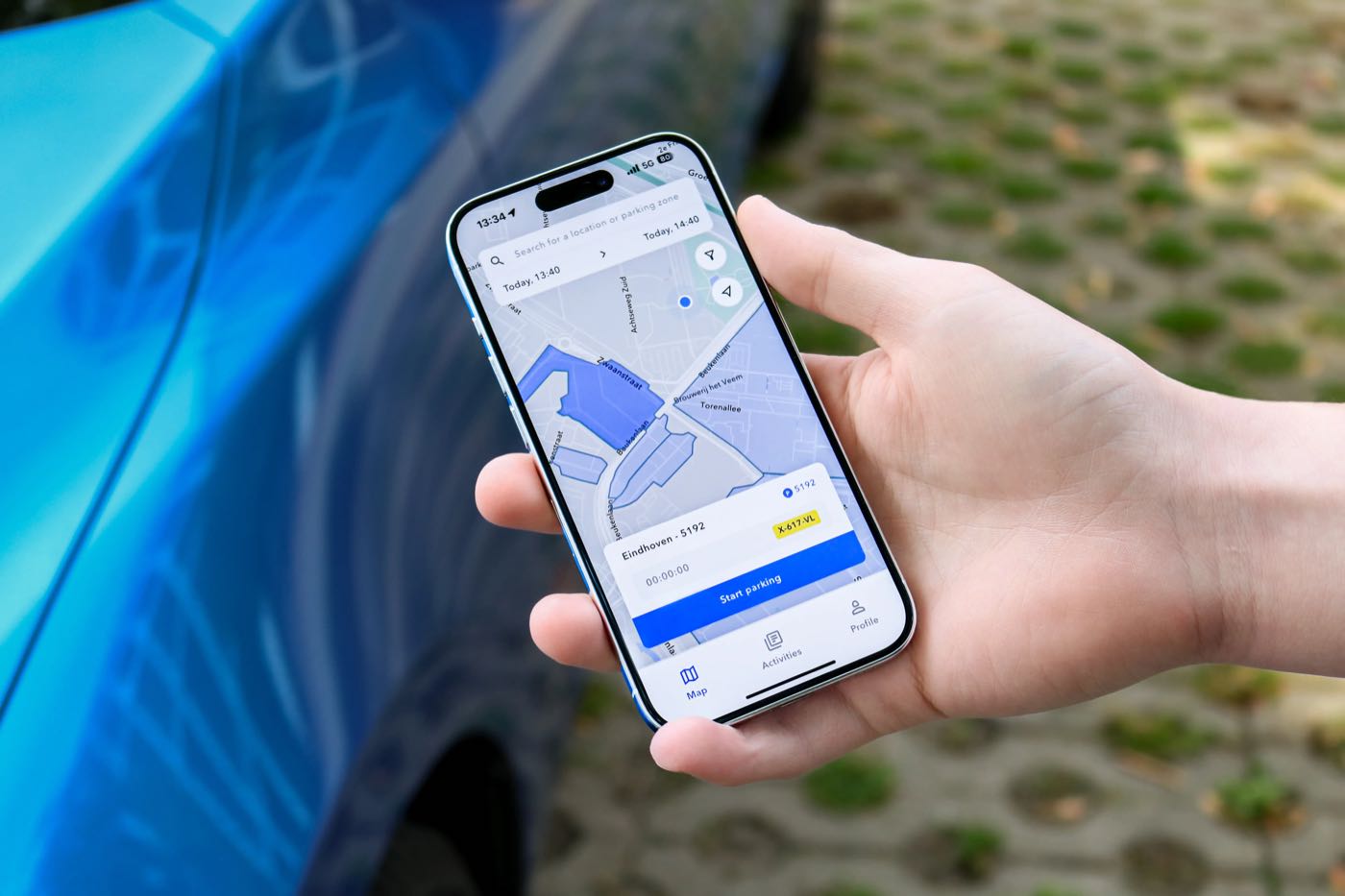
You can now pay automatically
Hi Sanne, from today you can stop topping up. We add up your parking actions and collect the total once a month.
Rather keep topping up? Then you don't have to do anything.
Regards,
SimplePark
You get this email because you park with SimplePark and get product news. Questions? Send us a WhatsApp, day and night. Rather not get these? Turn them off.
Help centrePrivacyTerms
© 2026 SimplePark B.V. · Valstraat 3, 5491 BH Sint-Oedenrode
KvK 96305827 · VAT NL867555257B01
Building them
Mail clients are not browsers. These rules keep the emails looking the same in Gmail, Outlook and Apple Mail.
| Topic | Rule |
|---|---|
| Fonts | Poppins and Figtree fall back to -apple-system, Segoe UI, Roboto, Arial. Outlook has no semibold: use bold there. Check that headlines still fit on two lines. |
| Images | The photo and the product visual are images at twice their size, with alt text that names the facts. The facts are always repeated in a table, so nothing is lost when images are off. |
| Card | A 600px table with a white cell. Outlook on Windows drops the corners and the shadow; the hairline keeps the card readable. |
| Buttons | A link styled as a block, at least 44px high, full width on a phone. Outlook on Windows draws square corners; that's fine. |
| Tables | Real tables with two columns: the label left, the value right-aligned with tabular figures. One rule weight; the total row is bold. |
| Preview text | Every email has its own, 90 to 110 characters, that adds to the subject instead of repeating it. |
| Plain text | Every email has a written plain-text version: the headline, the facts as label: value, the link in full and the footer. |
| Phone | Under 600px: the card fills the screen, 24px margins, the headline at 26 / 32, the amount at 34, buttons full width. |
| Dark mode | The card turns secondary 1000 with white for headlines and grey 300 for text, on grey 900. Rules become secondary 800. The button stays primary 500 with white text. |
Writing
Personal and to the point. See tone of voice and the word list.
- Subject, preview and headline each add something. The subject says what happened with the number, the preview adds the next fact, the headline repeats the subject at most.
- Hi and the first name start the first sentence: Hi Sanne, your invoice is ready.
- Every email about money shows the amount, the reference, the period or date, and how it is paid.
- Invoices never list their lines. The email gives the total and the facts; every line is in the PDF, and the email says so.
- Dates with the year: 14 November 2026. Durations in words: 1 hour 43 minutes.
- What happens next, calmly: when something is due, say what happens if it isn't paid, in a callout, not in the first sentence.
- No amounts in the product visual. They belong in the summary.
- No links in security emails: codes, logins and password changes.
- The footer says why the person gets this email, and it's true for that email.
- A way out only for news. Anything that records a charge, a parking action or a security event has none.
- Regards, SimplePark at the end. We are one company, not a team.